Install the SNET OS.
The Portfolio System
The Configuration profile of SNET OS can only be downloaded and installed through the Safari browser.
If you are not using the Safari, please click to copy the link below, and then open it in Safari.
Install Steps
After you download a profile of suresh, you’ll see the message Profile Downloaded or Enroll in SNET CLOUD NEXUS ENTERPRISE. To install the profile, follow these steps:
- Open the Settings app.
- Tap Profile Downloaded or Enroll in SNET CLOUD NEXUS ENTERPRISE.
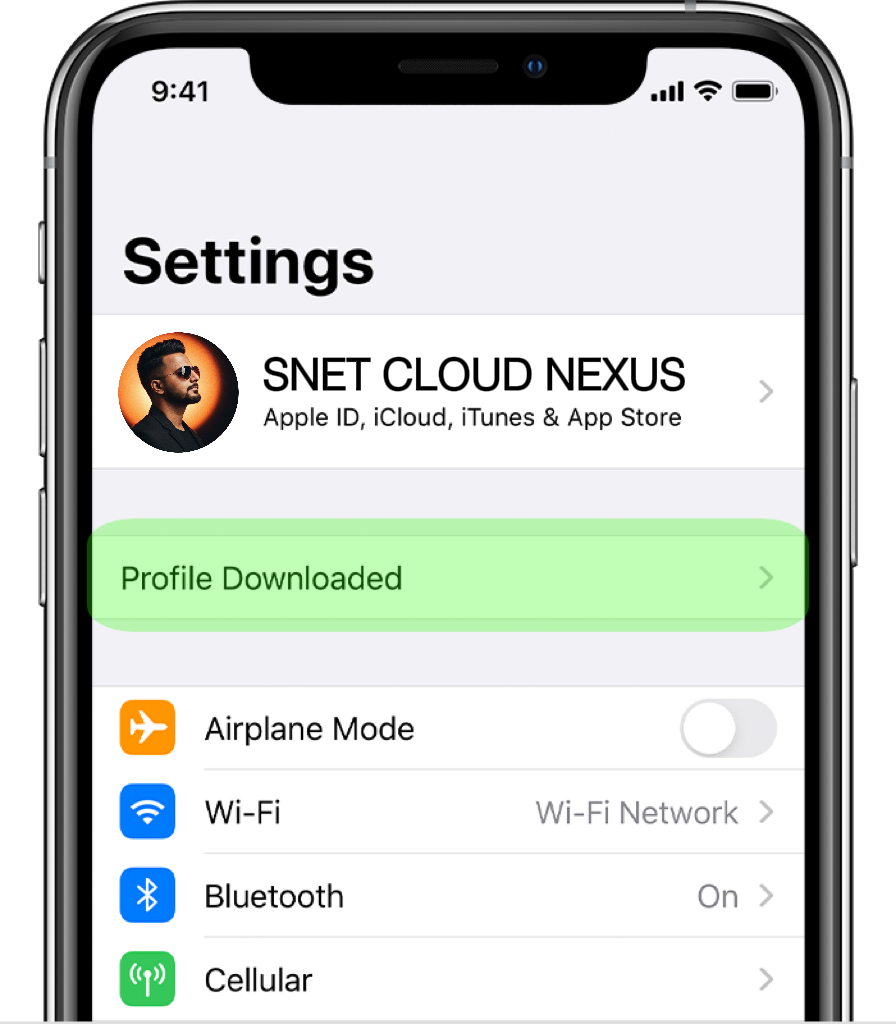
- Tap Install in the upper-right corner, then follow the onscreen instructions.
* You can have only one profile ready to install at a time. For example, if you download a profile and don't install it, and then download a second profile, only the second profile is available to be installed. If a profile is not installed within 8 minutes of downloading it, it is automatically deleted.
Contact Our Support
Need more help? Save time by starting your support request online and we'll connect you to an expert.